
PatchWatch



Never Miss aCritical Security Patch
Get instant alerts for security patches across Windows, Linux, browsers, and open-source libraries. No manual checking.
 Microsoft
 Linux
Linux npm
npm pip
pip .NET
.NET Docker
 Chrome
 Maven
Maven NuGet
NuGet ComposerMicrosoftLinuxnpmpip.NETDockerChromeMavenNuGetComposerMicrosoftLinuxnpmpip.NETDockerChromeMavenNuGetComposer
Made For IT Teams
Who We Help
IT Administrators
Keep every OS, browser, server, and software tool updated without manual checking. PatchWatch sends instant alerts for new updates, vulnerabilities, and security patches across your entire tech stack.
DevOps Teams
Ensure your infrastructure stays compliant and secure. Get timely notifications for OS patches, library updates, and framework releases delivered directly to Slack, Teams, and email.
IT Managers
Reduce downtime and stay ahead of vulnerabilities. PatchWatch provides centralized monitoring for Chrome, Windows, Linux, PostgreSQL, Node.js, and every tool your teams rely on.
The Problem
Are You Struggling With Patch Management?
Manual patch tracking is time-consuming, error-prone, and leaves your systems vulnerable.
Tired of manually checking for patches?
Constantly visiting vendor websites, checking security bulletins, and monitoring multiple sources. Hours wasted every week just to stay updated.
Missing critical updates?
Security patches slip through the cracks. By the time you discover a vulnerability, it might already be too late. Your systems remain exposed.
Too much time on patch management?
Your team spends more time tracking patches than actually applying them. Manual processes are slow, error-prone, and don't scale.
The PatchWatch Solution
What Your Team Gets
Real-Time Patch & Vulnerability Monitoring
PatchWatch continuously scans your entire technology stack including operating systems (Windows, Linux, macOS), servers, web browsers, databases, open-source libraries, frameworks, and DevOps tools. The platform monitors multiple authoritative sources: official security databases for Microsoft product patches, open-source package vulnerabilities, and commercial software security vulnerabilities. When new patches, security updates, or vulnerabilities are detected, PatchWatch immediately processes and notifies you, eliminating the need for manual tracking and ensuring your systems never fall behind on critical security updates.
Smart Version Tracking Across All Environments
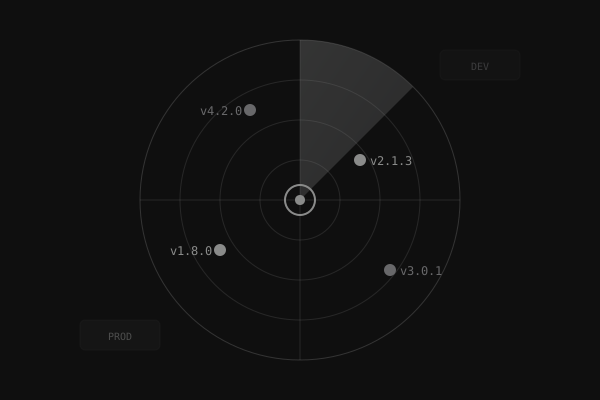
PatchWatch automatically tracks software versions and patch availability across all your environments including production servers, staging environments, development machines, and cloud instances. The platform compares vendor-released patches and updates against your subscribed products, helping you identify which systems are running outdated versions that need upgrading. This centralized version tracking provides visibility into your entire technology stack, making it easy to see which patches are available, which have been applied, and which environments require attention. This helps IT teams maintain consistent security posture and compliance across all environments.
Automated Alerts & Update Prioritization
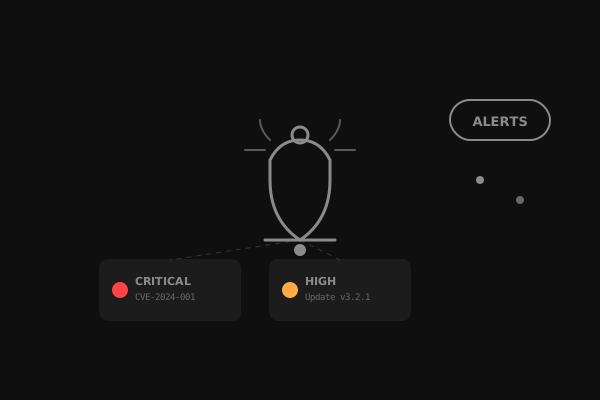
Receive instant, prioritized alerts for critical patches, high-severity security vulnerabilities, and systems that are falling behind compliance requirements. PatchWatch categorizes alerts by severity (Critical, High, Medium, Low) using industry-standard severity scores, helping you understand which patches need immediate attention. Notifications are delivered via email, Slack, Microsoft Teams, or Google Chat, and include comprehensive information: vulnerability ID, severity level, affected product versions, patch download links, and remediation steps. This prioritization helps engineering teams focus on the most critical security issues first, saving time and reducing security risk across your organization.
AI Test Plan Generator
The First AI-Powered Patch Test Plan Generator
PatchWatch includes a revolutionary AI-powered test plan generator that creates comprehensive security testing plans for security vulnerabilities and patches. Simply enter a vulnerability ID or patch name, and get a detailed, actionable test plan in seconds—not hours of manual research.
AI-Powered Generation
Generate comprehensive test plans instantly using advanced AI. No manual research or template filling required.
Vulnerability & Patch Name Support
Works with both vulnerability IDs and patch/software names (Chrome, Windows, PostgreSQL). The AI adapts the test plan format based on your input.
9-Section Test Plans
Get detailed test plans with Executive Summary, Test Scope, Prerequisites, Test Cases, Security Validation, Patch Verification, Risk Assessment, Recommendations, and Timeline.
Export & Share
Export test plans as Markdown or CSV. Copy to clipboard or download for documentation and team sharing.
How It Works
Simple Steps to Automated Monitoring
Stay updated effortlessly — no manual tracking needed.
Connect Your Tech Stack
Add the software you care about — operating systems, browsers, databases, and key tools. PatchWatch monitors official security databases and tracks patches and security vulnerabilities only for what you select.
We Track Every Patch & Vulnerability
PatchWatch continuously monitors trusted security feeds for new patches and security vulnerabilities. When an update affects your subscribed products, we capture severity, affected versions, and remediation details — without manual checking.
Get Alerts in Slack, Teams, or Email
Receive clear, actionable alerts via Email, Slack, or Microsoft Teams.Notifications are grouped, severity-aware, and configurable — so you focus on what matters, not alert noise.
Connect Your Tech Stack
Add the software you care about — operating systems, browsers, databases, and key tools. PatchWatch monitors official security databases and tracks patches and security vulnerabilities only for what you select.
We Track Every Patch & Vulnerability
PatchWatch continuously monitors trusted security feeds for new patches and security vulnerabilities. When an update affects your subscribed products, we capture severity, affected versions, and remediation details — without manual checking.
Get Alerts in Slack, Teams, or Email
Receive clear, actionable alerts via Email, Slack, or Microsoft Teams.Notifications are grouped, severity-aware, and configurable — so you focus on what matters, not alert noise.
Integrations
Seamless Integration with Your Existing Tools
PatchWatch is ready to integrate with your current IT management and security tools. Connect your existing infrastructure and enhance your patch management workflow.
Works with Your Current Stack
Whether you're using RMM platforms, endpoint management tools, or security solutions, PatchWatch can integrate seamlessly into your existing workflow. Get patch notifications where your team already works.
Atera
RMMNinjaOne
RMMPDQ Connect
DeploymentManage Engine
IT ManagementMicrosoft Intune
MDMJamf
MDMCrowdStrike
SecuritySentinel One
SecurityDon't see your tool? We're constantly adding new integrations.
Pricing Plans
Simple & Transparent Pricing
Choose the right plan based on your monitoring needs
Free Tier
- Basic Monitoring
- Monitor up to 5 products
- Manual Validation Forms (No limits)
- One Test Plan Generation per day
Pro Plan
- 50 Application Notification Limit
- Real-Time Monitoring
- Unlimited Test Plan Generation
- Multiple Notification Channels
Enterprise
- Unlimited Applications
- Custom Integrations
- SLA Support
- Dedicated Account Manager
Frequently Asked Questions
Everything you need to know about PatchWatch